FedEx account registration and validation
This guide walks you through how to securely register and verify your FedEx account so you can start shipping.
To use your FedEx account for shipping, you need to complete a one-time registration and verification process with Sorted. This confirms that your account details are correct and that you are authorised to use it.
Once completed, your FedEx integration will be securely connected and ready for use.
Get started
Prerequisites
To start or edit your FedEx integration, you must complete the following steps:
Register a FedEx account A registered FedEx account for your company is required to create an API integration. You will need the account number of your accounts for use in step 2.
For more information, scroll down to register a FedEx account.
If you already have a configured FedEx account, skip to step 2.
Register account with Sorted Ship. After your FedEx account is set up, you must connect your FedEx account to Sorted Ship. For more information, scroll down to learn how to register your account with Sorted Ship.
1. Register a FedEx account
We require you to have a FedEx account set up and configured. Make sure to note the account number as you will need to input this when you register with Sorted Ship in step 2.
If you don’t currently have a FedEx account, click here to set one up.
Once you have a registered account, continue to 2. Register account with Sorted Ship.
2. Register account with Sorted Ship
For your FedEx integration to work successfully on your Ship account, you must register your FedEx account details with Sorted to fully authenticate the integration.
Follow the steps below to connect your Account Numbers:
Firstly, access Sorted’s external apps page to connect your FedEx account and set up your auth tokens.
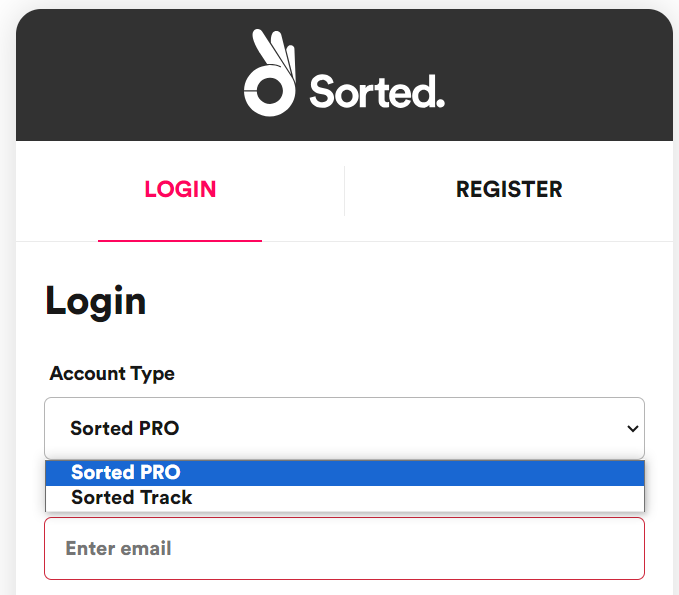
For testing on sandbox, please navigate to the sandbox external apps page.Select your Account Type from the dropdown and login with your Ship credentials.
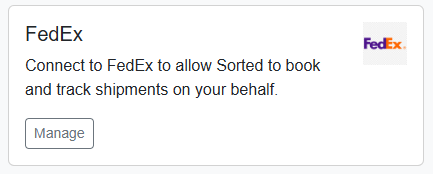
From the landing page, click Manage.
If this is your first connection set up, click Register An Account With FedEx Production.
Input into the following fields:
- Customer Name
- Account Number
- Address Details
The address details must match the address you registered with FedEx.Accept the terms of the FedEx End User License Agreement.
The checkboxes to accept the terms only become available once the agreement has been fully viewed by scrolling to the bottom of the document.You are required to verify further details as part of the multifactor authentication process.
Choose to either authenticate with a one-time passcode (SMS/Email/Call) or to use invoice verification from a FedEx invoice.
If you are unable to complete verification after multiple attempts, your account may be temporarily locked for security reasons.
In this case, try again after 24 hours or use the alternative verification method (PIN or invoice).
See FexEx support for more information.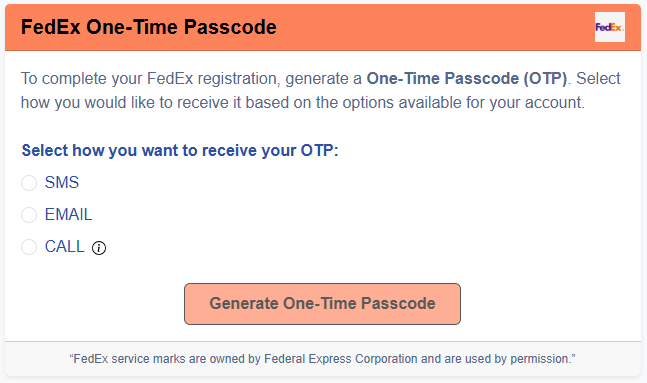 The option to provide a passcode using a phone call, is only available in select locations.The passcode will be sent to the email address or phone number registered on your FedEx account. If these details are not up to date, this method may not work.
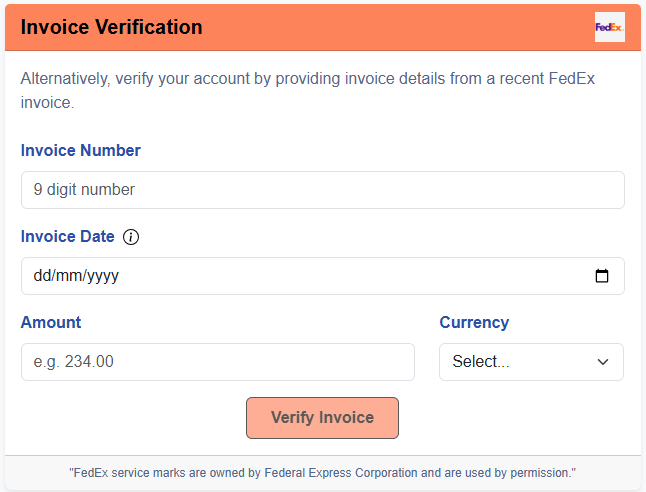 Invoice details must match your FedEx invoice exactly, including:
- Invoice number
- Invoice date (within the last 90 days)
- Amount & currency
You will return to the connection page on your Sorted Ship account, following a successful verification, with the new integration displayed in the dashboard.
If this is the first time registering a FedEx account, you must define theaccounttags on at least one connection for it to be functional.Click Create JWT to generate the access token for the account.
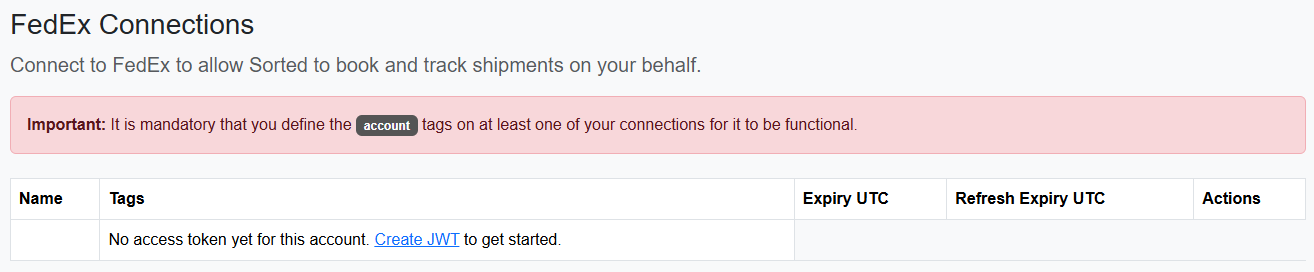
Enter an appropriate Connection name.
(Optional) - Click Add api scope to include a
shipmentortrackingscope in this connection.Click Submit, once you have input the details of the connection you want to create.
Well done! You’ve authenticated Sorted Ship with your FedEx account details.
FedEx support (MFA bypass)
If attempts to verify your FedEx account with Sorted continue to fail, or if you have been temporarily blocked due to exceeded verify attempts, you will need to contact FedEx Customer Support.
Once this has been applied:
- Return to our external apps portal
- Restart the registration process; and
- Re-enter your account number and address details
Manage connections
You can manage your connections if your shipper accounts and integrations need to be edited or removed.
These options can be accessed from the connections landing page, click here to access.
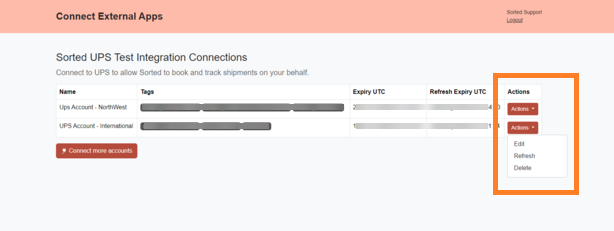
Click Actions in the connection row to access the options.
Edit connection
Click Edit to add/remove your account number and API scope fields.
Refresh connection
Click Refresh to manually refresh the token on this connection.
Delete connection
Click Delete to remove the connection from your Sorted account.
You must confirm deletion by typing the connection name into the field to complete the action.