Predefined PUDO consignments
Learn how to create and allocate predefined PUDO (Pick-Up Drop-Off) packages using the Consignments API.
What is predefined PUDO?
Predefined PUDO (Pick-Up Drop-Off) is a package delivery model where the retailer manages the pickup-point selection in their own checkout process.
This means the retailer provides the options for a customer to choose the pickup location of their order. The retailer provides this information to Sorted when the consignment is created.
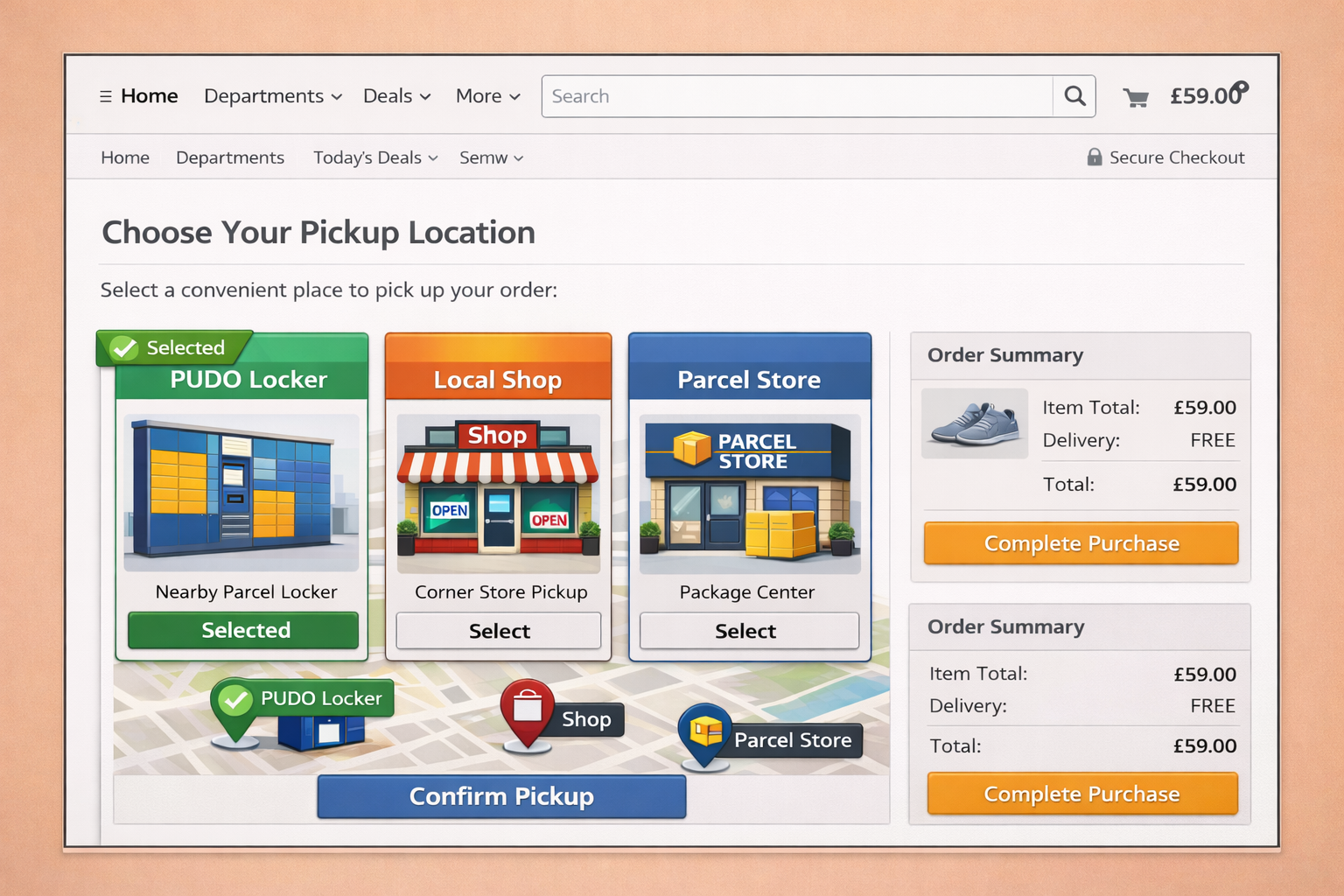
How predefined PUDO works in Consignments API
Any consignment requiring predefined PUDO still requires the same data structure that’s provided when creating a consignment. However, certain fields are required so that the pickup location, sender, and recipient can be correctly identified.
Mandatory fields for a predefined PUDO consignment
A predefined PUDO consignment requires three mandatory address objects (origin, destination, and recipient).
To view a complete example of what the create consignment body should contain, please scroll down to the json example.
Following a successful create consignment request you can then move on to allocate the consignment.
Address objects
The Addresses object must contain three address entries, each representing a different entity involved in the consignment lifecycle.
- Origin address
- Destination address (with mandatory fields)
- Recipient address (with mandatory fields)
1. Origin address
The Origin address represents the sender location dispatching the package. This is typically a warehouse, fulfillment centre, or retail store.
The origin address must contain:
AddressType: "Origin"ShippingLocationReference
ShippingLocationReference is provided, Consignments API loads the sender address from the configured shipping location.Origin address example
Using ShippingLocationReference to provide the address information.
  {
  "AddressType": "Origin",
  "ShippingLocationReference": "Warehouse_01"
}
2. Destination address (the pickup location)
The destination address represents the pickup location selected by the customer during checkout. This must be the physical address of the PUDO location.
The destination address must contain:
AddressType: "Destination"- The
Address.ShopLocationReference - A
Contactobject containing the recipient’s contact details; and - The destination (pickup) location address details
Destination address example with contact object
  {
  "AddressType": "Destination",
  "ShopLocationReference": "ABC123",
  "Contact": {
    "CompanyName": "Pickup Shop",
    "Telephone": "01234567890"
  },
  "AddressLine1": "10 Market Street",
  "Postcode": "M1 5WG",
  "Country": {
    "IsoCode": {
      "TwoLetterCode": "GB"
    }
  }
}
3. Recipient address
The recipient address represents the person collecting the package.
This must include:
AddressType: "Recipient"- A
Contactobject containing the recipient’s contact details - The recipient address details
Recipient address example with contact object
  {
  "AddressType": "Recipient",
  "Contact": {
    "FirstName": "Jane",
    "LastName": "Smith",
    "Telephone": "07700123456",
    "Email": "jane.smith@email.com"
  },
  "AddressLine1": "25 King Street",
  "Postcode": "LS1 4DY",
  "Country": {
    "IsoCode": {
      "TwoLetterCode": "GB"
    }
  }
}
Example create consignment request
Below is a simplified example of a Create Consignment request containing the required fields for a predefined PUDO package.
POST /consignments
JSON sample - inc. address object required fields
    "Addresses": [
    {
      "AddressType": "Origin",
      "ShippingLocationReference": "Warehouse_01"
    },
    {
      "AddressType": "Destination",
      "ShopLocationReference": "ABC123",
      "Contact": {
        "CompanyName": "Pickup Shop",
        "Telephone": "01234567890"
      },
      "AddressLine1": "10 Market Street",
      "Postcode": "M1 5WG",
      "Country": {
        "IsoCode": {
          "TwoLetterCode": "GB"
        }
      }
    },
    {
      "AddressType": "Recipient",
      "Contact": {
        "FirstName": "Jane",
        "LastName": "Smith",
        "Telephone": "07700123456",
        "Email": "jane.smith@email.com"
      },
      "AddressLine1": "25 King Street",
      "Postcode": "LS1 4DY",
      "Country": {
        "IsoCode": {
          "TwoLetterCode": "GB"
        }
      }
    }
  ]
Carrier-specific fields
While the create consignment request structure is largely consistent across carriers, some carriers may require additional or carrier-specific fields to successfully create a consignment.
These fields may include:
- Additional address attributes
- PUDO (Pick Up / Drop Off) location identifiers
- Additional customs or label properties
- Carrier-specific metadata
The exact requirements can vary depending on the carrier and service being used. For example, some carriers may require specific identifiers for pickup locations, while others may require additional customs information for international consignments.
When onboarding a new carrier, it may therefore be necessary to include additional fields beyond the standard consignment schema to meet the carrier’s API requirements. These requirements will be documented once confirmed.
Allocate the consignment
The following endpoint can be used to allocate with custom filters and allocate to a pickup service.
Validation behaviour
Allocation fails if any required information is missing or invalid.
Common validation failures
| Scenario | Description |
|---|---|
| Missing origin address | Sender location not provided or no ShippingLocationReference |
| Missing destination address | Pickup location address missing |
| Missing recipient information | Recipient details incomplete |
Invalid ShopLocationReference | Shop location cannot be identified |
| Address mismatch | Destination address does not correspond to the pickup location identifier |